NaturalReader - Text to Speech
- 4.3
- Rating
- 5.00M
- Installs
- Free
- Price

 Analysis by App-foxy
I tried NaturalReader - Text to Speech as a practical reading companion rather than as a novelty voice app, and its strongest idea is easy to understand: it turns written material into spoken audio so I can listen when reading from a screen is tiring or inconvenient. That makes it especially relevant in a productivity setting, where the useful question is not whether synthetic speech sounds impressive, but whether it helps me finish real documents with less strain.
Developed by Naturalsoft Limited, this free app is aimed at Everyone and runs on Android 7.0 or later. It has reached over 5 million installs, with a 4.3 average from around 59 thousand ratings and about 2.6 thousand written reviews. Those figures suggest a well-established tool, but my impression is more nuanced: it can be genuinely helpful for reading support, concentration, and hands-busy situations, while still requiring patience when a document has complicated formatting or when I want the most natural voice quality.
How NaturalReader handles reading and navigation
The first thing I noticed is that the app is built around reducing the need to stare at a page. I can bring written content into a listening workflow, choose a voice, and let the text move through speech instead of manually scanning every line. That basic change matters for people who lose their place easily, experience visual fatigue, or understand information better when they hear it.
You May Also Like

 Blood Strike: 2.5 Anniversary
Blood Strike’s Loadouts Turn Every Drop Into a Tactical Gamble
A close look at Blood Strike’s custom loadouts: how fast access to signature weapons reshapes its battle royale rhythm, rewards preparation, and narrows the gap between fights.

 Pandora - Music & Podcasts
Pandora’s Music Is Easy to Start, but Harder to Recover
Pandora’s strength is its low-effort path from a seed to a station. Its weak spot is how much confidence it asks you to place in connection, setup, and quiet recovery.

 8 Ball Pool
 Is Built on Rivalries, Rematches, and Routine
A close look at the rivalries, rematches, shared routines, and unanswered safety questions that turn a quick pool match into a persistent mobile community.

 Samsung Music
’s Quiet Strength Is Playing What You Already Own
Its reach comes less from spectacle than from dependable access to a personal library. That simplicity is both the app’s strongest retention engine and its ceiling.

 AccuWeather: Weather Radar
AccuWeather Review: A Quick, Clear Forecast for Everyday Decisions
For everyday plans, the best forecast is the one you can understand quickly. AccuWeather makes rain timing, radar, and local conditions easy to act on, with a few trade-offs.

 Hill Climb Racing
Why Hill Climb Racing Still Turns Crashes Into One More Run
A tiny car, a bumpy hill and one more upgrade: Hill Climb Racing keeps resurfacing because its simple chaos makes every near-miss feel personal.
More From Our News Desk



NaturalReader supports PDFs and more than twenty document types, which gives it a broader role than a simple text box that reads copied sentences. In my experience, the practical advantage is being able to approach a long document as something I can listen to in sections. Rather than treating every page as a separate task, I can use speech to preview material, revisit difficult passages, or keep moving through routine text.
The interface is most useful when I decide in advance what I want to accomplish. For example, I might open a document, select a suitable voice, lower the reading speed, and listen for the main argument before returning to the screen for details. This is more efficient than pressing play without a plan, especially with reports or study material. Listening first gives me a rough map of the content, while visual reading remains available for tables, names, and exact wording.
Navigation also depends on the source document. A clean, digitally created PDF is much easier to follow than a scan with unusual columns, decorative elements, or text arranged in boxes. When the reading order is clear, speech feels like a continuous stream. When the structure is messy, the app may make the material harder to understand because the voice follows an order that does not match the way I would naturally read the page.
That is an important distinction for anyone considering it as a reading aid. NaturalReader can make text more approachable, but it does not magically repair every document. I get the best results when I first check whether the text is selectable and sensibly organized. If I am working with a badly formatted file, I may need to clean it up or use another version before listening.
The app’s large voice selection is another part of its appeal. Its store summary describes over a thousand AI-powered voices, and that variety gives me room to experiment with tone, language, and pacing. A voice that sounds comfortable for a short message may become tiring during a long chapter, so trying several options is worthwhile. I prefer a voice that remains clear at a slightly slower speed rather than one that sounds impressive but becomes distracting after several minutes.
There is also a useful trade-off between speed and comprehension. Increasing the pace can make routine material less tedious, but it can work against people who need extra processing time or who are listening in a second language. I found it better to use different settings for different tasks: a calmer pace for new information, a quicker one for familiar material, and frequent pauses when I need to take notes.
For proofreading, I would not rely on the app alone, but it has a clever practical use. Hearing my own writing read aloud exposes missing words, awkward repetitions, and sentences that look acceptable on screen but sound clumsy. I can listen while following the text, then stop when something sounds wrong. This is particularly helpful when visual rereading has made me blind to small mistakes.
The same workflow can support people who struggle with dense blocks of text. I can listen to a paragraph, pause, and summarize it in my own words before continuing. That turns passive playback into an active reading method. It is slower than simply letting the entire file run, but it gives me better recall and makes lengthy material feel more manageable.
Small workflow choices that improve clarity
One of my more useful habits is separating listening from close reading. I use speech to identify sections worth attention, then return to the document for exact details. This prevents the common mistake of expecting text-to-speech to replace every visual cue. Headings, bullet relationships, footnotes, diagrams, and page layout can carry meaning that a voice cannot fully express.
I also avoid starting with a long uninterrupted session. Short listening blocks make it easier to notice when pronunciation, document order, or concentration has slipped. If I am reviewing a work document, I keep a note-taking method nearby because pausing the app repeatedly to remember every point defeats the convenience of audio.
Another less obvious benefit is using different voices as a way to distinguish tasks. I may choose one familiar voice for everyday reading and another for proofreading or study. That small change creates a mental boundary between casual listening and focused review. It does not turn the app into a full study system, but it can make repeated reading sessions easier to organize.
Support for different abilities and everyday situations
NaturalReader’s most convincing inclusive quality is that it offers an alternative route into written information. Someone with low vision, dyslexia, reading fatigue, attention difficulties, or a temporary eye problem may find spoken output less demanding than continuous visual reading. I would not describe it as a complete solution for any of those experiences, because needs vary widely, but the option to hear text can remove one significant barrier.
For users with motor difficulties, speech can reduce the amount of precise screen interaction required after a document is ready. Instead of repeatedly scrolling and repositioning the page, I can let the app continue reading and use pauses when necessary. That can be more comfortable for someone who finds prolonged tapping, swiping, or holding a device difficult.
At the same time, the setup itself still involves interaction. Opening files, choosing content, changing settings, and recovering from a reading-order problem may require accurate touch control. NaturalReader therefore helps most when the initial preparation is manageable or when another person can assist with importing a difficult document. The listening stage may be hands-light, but the entire workflow is not completely hands-free.
For people who are sensitive to sound, voice choice becomes central rather than cosmetic. A synthetic voice that is too bright, fast, or expressive can create fatigue. I recommend testing voices with the kind of material you actually read, not just a short sample sentence. The best option for a brief notification may be a poor match for legal wording, technical instructions, or a long article.
People who process information more effectively through hearing may benefit from combining audio with visible text. Following along can reinforce word recognition and help maintain place, while listening alone can be useful when looking at the screen is uncomfortable. I would treat these as two different modes rather than assuming one is always superior.
The app also fits ordinary situations where accessibility is not the main reason for using it. I can listen while preparing food, sorting laundry, or walking somewhere safe, although I would not use it in a situation where audio reduces awareness of traffic or other hazards. It can make a long document less dependent on having both hands and eyes available, but situational awareness should come first.
A realistic example is an evening when I need to review a lengthy work document after spending the day on screens. Instead of forcing myself to read every paragraph visually, I listen to the file at a comfortable pace, pause at sections that contain decisions, and write down the page or topic to revisit. Later, I use the screen only for the important passages. This does not eliminate the work, but it moves the most tiring part into a format I can tolerate better.
Students can use a similar approach with reading assignments, though I would not recommend listening passively and assuming the material has been learned. A better method is to stop after each section, explain the point aloud or in notes, and then continue. The app is useful for access and review; it is not a substitute for understanding, source checking, or completing required visual tasks such as interpreting charts.
For language learners, hearing text can support rhythm and pronunciation awareness, especially when paired with the written words. However, synthetic speech should not be treated as the final authority on every proper name, abbreviation, or specialist term. I would verify unfamiliar pronunciation through a trusted source when accuracy matters.
Where it is less comfortable or less complete
The biggest limitation is that speech linearizes information. A page can show hierarchy, columns, emphasis, and relationships at a glance, while audio presents one stream after another. With a simple article, that is usually fine. With a form, spreadsheet-like document, academic paper, or visually complex PDF, I may need to switch back to the screen frequently.
Pronunciation is another area where expectations should stay realistic. AI-powered voices can sound smoother than older robotic readers, but naturalness does not guarantee perfect interpretation. Acronyms, names, symbols, mixed-language passages, and unusual formatting can still produce awkward results. I find the app most dependable when the source text is clean and conventional.
There is also a concentration trade-off. Listening can reduce visual strain, but it may introduce auditory strain or make it easier for my attention to drift. If I miss a sentence, finding the exact point again can be less immediate than rereading a paragraph with my eyes. Pausing regularly and keeping the text visible helps, but users who need rapid visual cross-referencing may prefer a standard document reader.
The free entry point is welcome, yet in-app purchases range from $9.99 to $159.99 per item. That makes it important to explore the free experience carefully before treating the app as a long-term essential. I would be especially cautious if I only need occasional reading support, because a browser’s built-in reading tools, operating-system speech features, or a basic reader may cover that limited use without adding another purchase decision.
On the other hand, someone who regularly handles PDFs and varied documents may find the broader workflow more valuable than a basic accessibility shortcut. The right choice depends on whether voice variety, document support, and a dedicated reading environment solve a recurring problem. I would not pay simply for the promise of many voices; I would pay only if the app consistently saves effort in the documents I actually use.
NaturalReader is also not the best match for anyone seeking a full audiobook experience. It reads written material, but a generated voice does not provide the editorial performance, emotional interpretation, or polished production of a professionally narrated book. For novels where performance is part of the enjoyment, an audiobook service is usually better. For documents I already own, text-to-speech is the more flexible option.
Likewise, users who need advanced annotation, deep document organization, or specialized academic tools may prefer a dedicated note-taking or PDF application alongside it. NaturalReader’s value is in converting text into listening, not in replacing every tool used around that text.
What I would check before relying on it
Before importing an important document, I would test a few representative pages rather than assuming the whole file will behave consistently. Check a heading, a paragraph, a list, a page with columns, and any section containing names or abbreviations. This quick test reveals whether the reading order and pronunciation are acceptable before I commit to a long session.
I would also decide whether I need the screen on. If I am listening for general understanding, audio alone may be comfortable. If I am proofreading, studying, or checking instructions, keeping the text visible is safer. That distinction helps prevent frustration when the voice cannot communicate layout or visual emphasis.
People who need predictable access should build in a backup method. A second reader or the phone’s own speech tools may be useful when a particular file does not import cleanly or when NaturalReader’s interpretation is not suitable. Having an alternative is sensible because document structure, not just app quality, determines the final experience.
The current version is 9.47, and the app has been available since September 27, 2020. I mention that context because this is not an experimental tool appearing overnight; it has had time to become a recognizable productivity option. Still, a mature app can have a learning curve, and I would judge it by how well it fits my personal documents rather than by its age or popularity alone.
For privacy-conscious users, the practical question is also how comfortable they are placing their reading workflow inside a dedicated service. I would avoid casually importing highly sensitive documents until I had reviewed the app’s current permissions and privacy information myself. That is not a criticism unique to this product; it is simply good practice whenever personal or confidential text is processed by an app.
My inclusive verdict
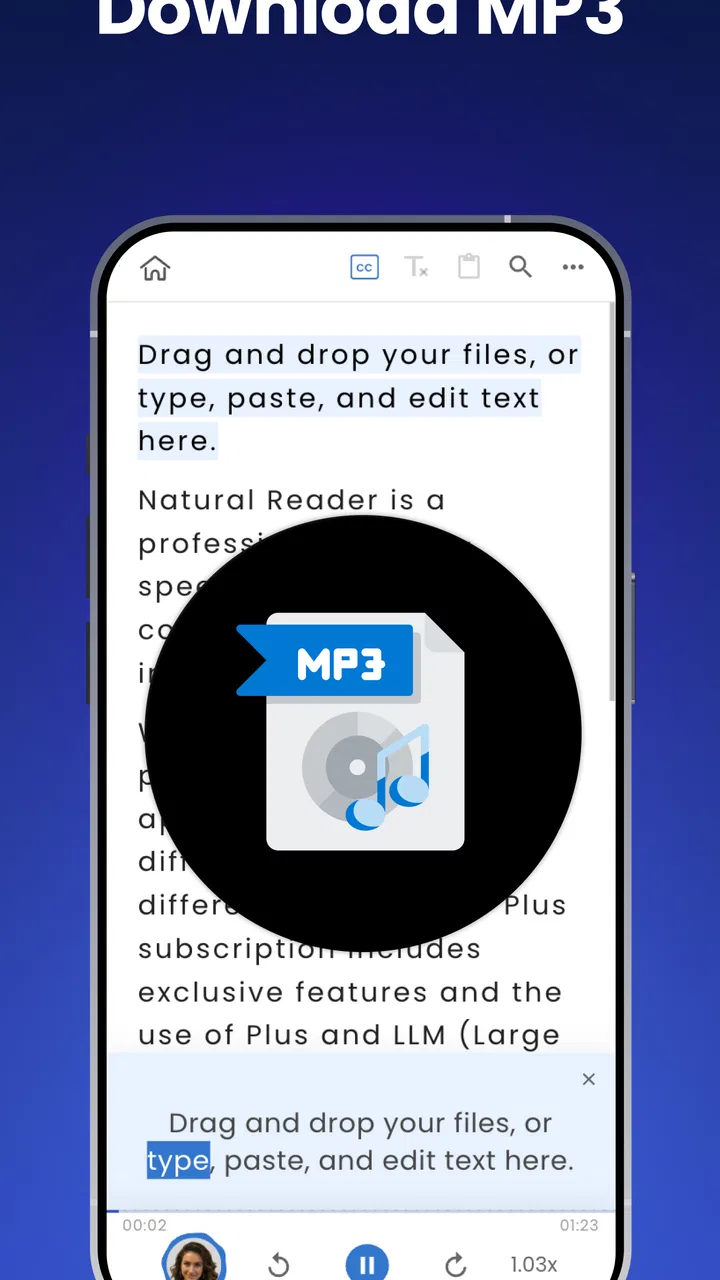
I recommend NaturalReader - Text to Speech to people who want more than one way to approach written information. Its ability to read PDFs and many document formats, combined with a wide choice of voices and MP3 conversion, makes it useful for reducing visual dependence, previewing long material, proofreading, and listening during low-risk everyday tasks. The strongest benefit is flexibility: I can move between seeing, hearing, and combining both methods according to my energy and the document.
I would be more cautious if I needed flawless handling of complex layouts, advanced annotation, perfect pronunciation, or a fully hands-free setup from the moment I open a file. Those needs may point toward a specialized PDF tool, built-in device accessibility features, or a professionally narrated audiobook instead. The app can support different abilities and contexts, but it does not remove every barrier created by document design or touch-based setup.
Overall, I see it as a practical bridge between reading and listening rather than a replacement for reading in every form. Its real strength is giving me another route to information when my eyes, hands, attention, or surroundings make ordinary reading inconvenient. If that problem appears regularly in your day, the free starting point makes it worth trying with your own documents. If your needs are occasional or highly specialized, test those exact situations first before considering the paid options.
FAQs for NaturalReader - Text to Speech
01What is NaturalReader - Text to Speech, and what can it do?
NaturalReader is a text-to-speech app that reads written content aloud using synthetic voices. You can generally use it for documents, copied text, webpages, study materials, and other supported files, making it useful for multitasking, proofreading, accessibility, and listening when reading from a screen is inconvenient. Available tools and supported formats may vary between free and paid plans.
02Is NaturalReader - Text to Speech free to use?
NaturalReader can usually be downloaded and used without an initial payment, but the free experience may include limits on voices, listening time, features, or document support. Premium subscriptions may unlock more natural-sounding voices, extended usage, additional controls, and broader file compatibility. Before subscribing, review the current pricing, trial terms, renewal conditions, and cancellation process shown in the app store.
03Which documents and text sources does NaturalReader support?
The app is designed to read text from several common sources, such as manually entered or pasted text and supported documents. Depending on the version and platform, it may also work with webpages, PDFs, images, or scanned content through text recognition. Results can differ when files contain complex layouts, tables, unusual fonts, or poor-quality scans, so important documents should always be checked.
04How natural are the voices, and can I adjust the reading experience?
NaturalReader offers multiple computer-generated voices, with the most realistic options commonly available through premium features. Users can typically change the voice, playback speed, and sometimes pronunciation or reading settings to suit studying, accessibility, or casual listening. Voice quality may depend on the selected language, device, internet connection, and whether the chosen voice is available offline.
05Is NaturalReader suitable for studying and accessibility?
NaturalReader can be helpful for students, people with dyslexia, users with visual difficulties, and anyone who understands information more easily by listening. Highlighting or synchronized reading, adjustable speed, and voice selection can support concentration and proofreading. However, it should not be treated as a perfect substitute for human narration, especially with technical terms, mathematical notation, formatting, or incorrectly recognized text.
Pros
- Natural-sounding voices make long articles and documents easier to follow.
- Supports many document types
- including PDFs
- webpages
- and text files.
- Text highlighting helps users track the content while listening.
- Useful playback controls let you adjust speed and navigation easily.
- Syncing across devices keeps saved documents and reading progress accessible.
Cons
- The best voices and features require a paid subscription.
- Voice quality and language availability vary between supported platforms.
- OCR for scanned documents may produce occasional reading errors.
- Large files can take time to load or process on some devices.
- Offline access may be limited for certain voices and subscription features.

NaturalReader - Text to Speech
Gallery